Drink the Ocean Official & Wiki Links
Play Drink the Ocean on Roblox, meet the creators, and jump into codes, guides, and tier lists.
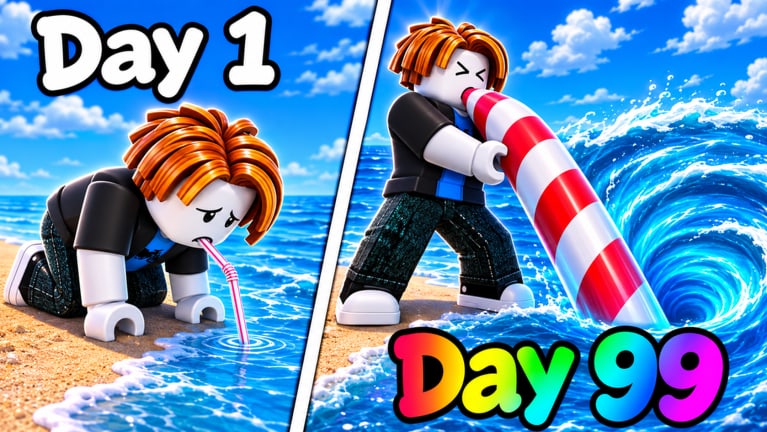
This links hub collects the official ways to play Drink the Ocean and the best internal wiki routes for codes, classes, and guides. The experience is a Roblox incremental simulator by and Collect Treasure Too — start with a straw, drink the ocean, upgrade jug and straws, uncover seabed treasure, buy boats that suck water faster, and spin Classes in lobbies of up to six players.
drinkocean.wiki is a fan-made wiki. It is not owned by Roblox Corporation or the and Collect Treasure Too group. Always verify live codes and prices in the official experience if something here disagrees with a brand-new patch.
Play Drink the Ocean (official)
- Roblox experience: Drink the Ocean
- Place ID:
78209250473851 - Universe ID:
10775491090 - Creator credit: and Collect Treasure Too
Favorite the experience on Roblox so update shouts and description code lines are easier to spot. When a new update-named code appears, redeem it in Settings and cross-check our Codes hub.
About this fan wiki
We document systems players search for every day: working codes, Class drop rates, upgrade order, boat timing, multiplayer tips, and script safety notes. English pages are written for depth; other locales mirror that detail. Nothing here replaces the live game UI.
If you arrived from a search for Drink the Lake, Drink The Ocean For Brainrots, or a browser HTML clone, double-check the place ID above — those are different products with different codes and progression.
Essential wiki destinations
| Need | Open |
|---|---|
| Free Class Spin codes | Codes |
| Beginner first hour | Getting Started |
| HUD / Settings / mobile | Controls |
| Jug, straw, sell priority | Upgrades |
| Seabed loot and boats | Boats & Treasure |
| All 12 Class passives | Classes |
| S–D rankings | Tier List |
| Six-player party tips | Players |
| UPDATE2 and patch checklist | Updates |
| Automation loaders (use carefully) | Scripts |
| Full tutorial index | Guides Hub |
Creator and community pointers
Follow and Collect Treasure Too on Roblox for the authoritative group wall, experience description edits, and future titles from the same creators. Community Discord or social links, when the developers publish them on the experience page, supersede any third-party reposts.
Fan tip channels and YouTube overviews can help visual learners — we embed selected real videos inside guides such as Getting Started and Upgrades — but patch notes should still be confirmed in-game.
How to use links after an update
- Open the official Roblox URL and read the description for new codes.
- Redeem in Settings; compare with Codes.
- Skim Updates for the wiki’s patch checklist.
- Re-rank your Class on the Tier List.
- Adjust shop and boat plans via Upgrades and Boats & Treasure.
- Invite up to five friends using tips on Players.
Safety notes
- Only enter codes inside the official experience Settings panel.
- Never trade account credentials for “free Water Bender” offers.
- Script loaders can violate Roblox rules and risk your account — read Scripts and decide carefully.
- This wiki does not sell Robux, Pearls, or Class rolls.
Quick facts card
- Genre: Roblox incremental / simulator
- Loop: Drink → sell → upgrade → treasure → boats → Class spins
- Lobby size: Up to 6 players
- Active code example (Nov 2026):
UPDATE2→ 1 Class Spin - Class spin cost: 50 Pearls (standard)
Bookmark this page as your jump-off point, favorite the Roblox experience as your source of truth, and use the table above whenever you need a deep guide. For brand-new players, start at Getting Started immediately after redeeming codes.
Frequently Asked Questions
Quick answers about codes, classes, upgrades, and lobbies.
Is drinkocean.wiki official?
No. It is a fan-made wiki. The official game is the Roblox experience by and Collect Treasure Too linked above.
What is the official Drink the Ocean URL?
https://www.roblox.com/games/78209250473851/Drink-the-Ocean (place ID 78209250473851).
Where do I find working codes?
Check the Roblox experience description first, then our Codes hub for redeem steps and expired lists.
Who made the game?
and Collect Treasure Too on Roblox. Follow their group and experience page for authentic announcements.